BetaFor bridge clubs — free for every member
Your bridge club, online, with everyone in it.
Lost your room, or your members are spread too far to meet? Give your club its own page on bridge.games, with the same tables, booked tables and tournaments as our lobby — for your members. Paste your member list, and each of them gets a link that signs them up and puts them straight in the club. It costs your club, and everyone in it, nothing.
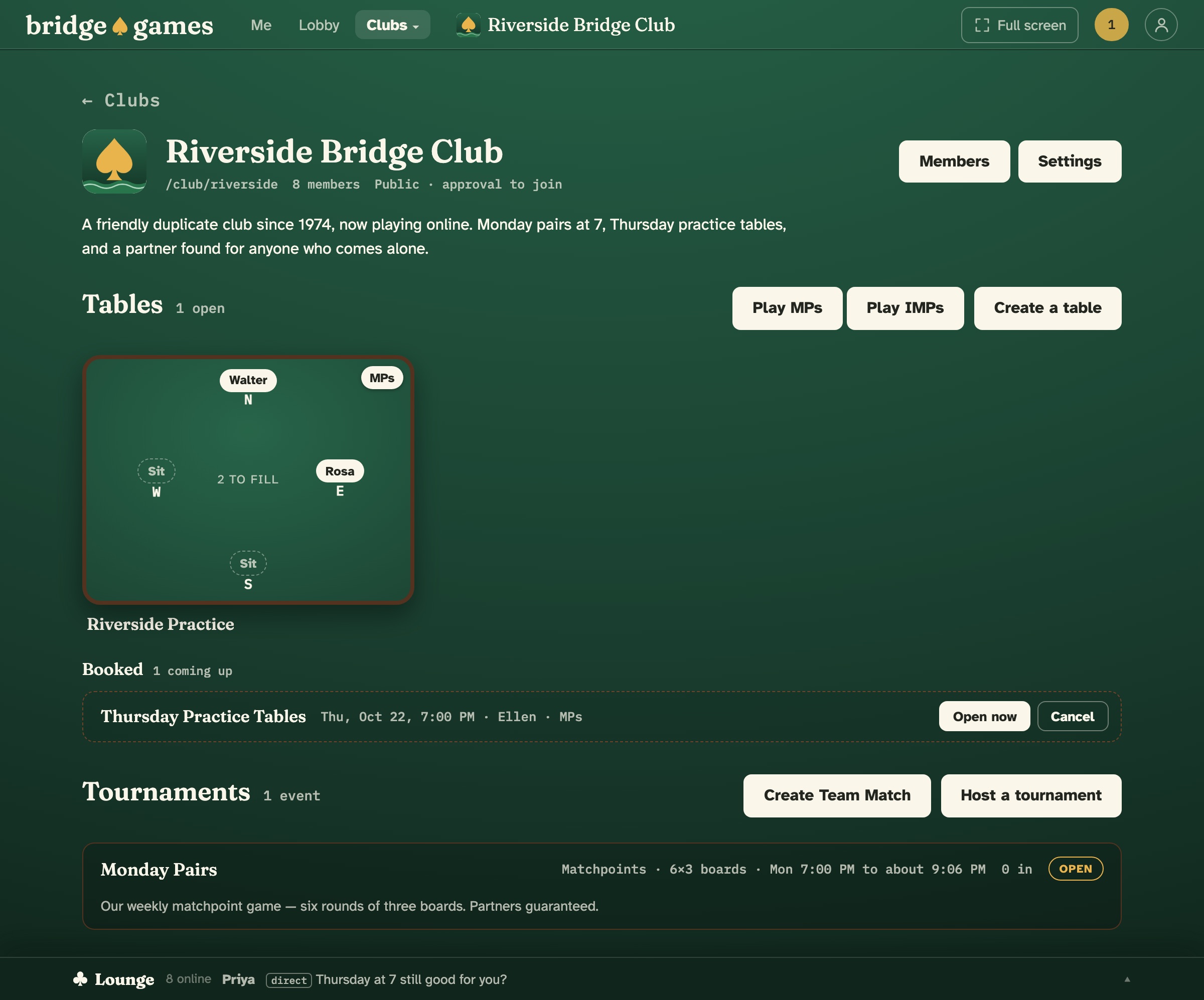
The tables and tournaments you know, just for your club.
Your club’s page sits under Clubs, next to Lobby, with your name, your logo and a line about who you are and when you play. On it is everything the lobby has, for your members alone: tables to sit at, tables booked for later, and your tournaments. Your members are still on bridge.games, too — free to play in the main lobby, and to belong to other clubs.
- Public or private. A public club is listed in the club directory and open to anyone — straight in, or with your approval, as you prefer. A private club is by invitation only, and its page, its members and its games are for members alone.
- Your tables stay yours. Even in a public club, its tables, booked tables and member list are for members. A visitor sees your name, logo and description, how many members you have, and the names and times of your coming events.
- Sit straight down. Every open chair on your club’s page is a Sit button. Play MPs or Play IMPs deals a member in with bots at once, and any member can open a table or book one for later.
Paste your member list. That’s the invitation.
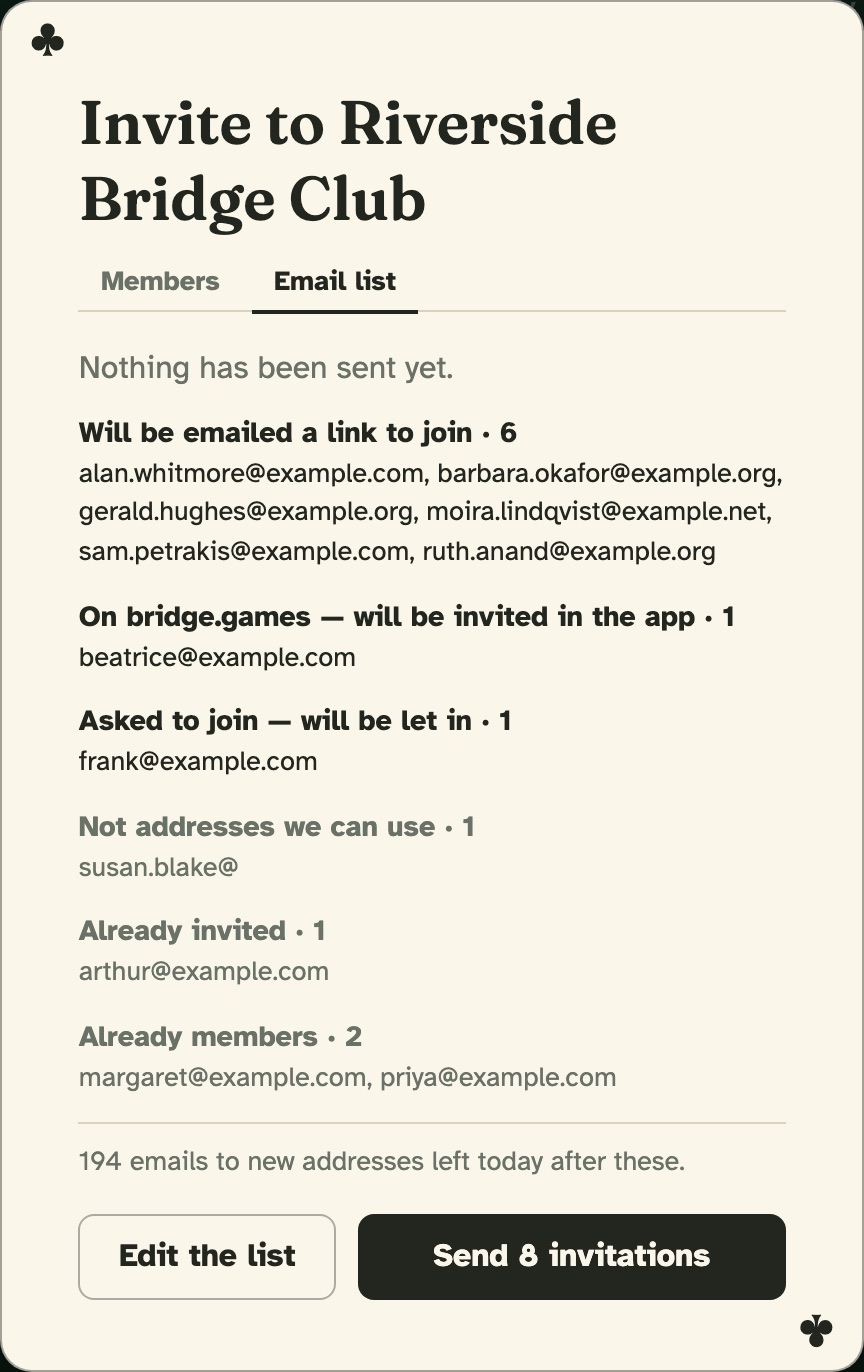
Open Invite… on your club’s page and choose Email list. Paste the addresses you already have — one per line, or straight from a spreadsheet or your email program, names and all. Preview shows what will happen to each one before anything is sent. Members already on bridge.games can be invited by name, too.
- New to bridge.games? They get one email, in your name, with a link that makes their free account and puts them straight in the club. The link works once.
- Already here? The invitation waits in their notifications on bridge.games, and they join with one press.
- Answers come to you. Replying to the invitation reaches you, so “can I bring my partner?” lands in your own inbox.
- No spam. Every invitation has an Unsubscribe link, and an address that uses it gets no club invitation from anyone again. Up to 200 new addresses a day per club — paste the rest tomorrow.
Run your own game, without the paperwork.
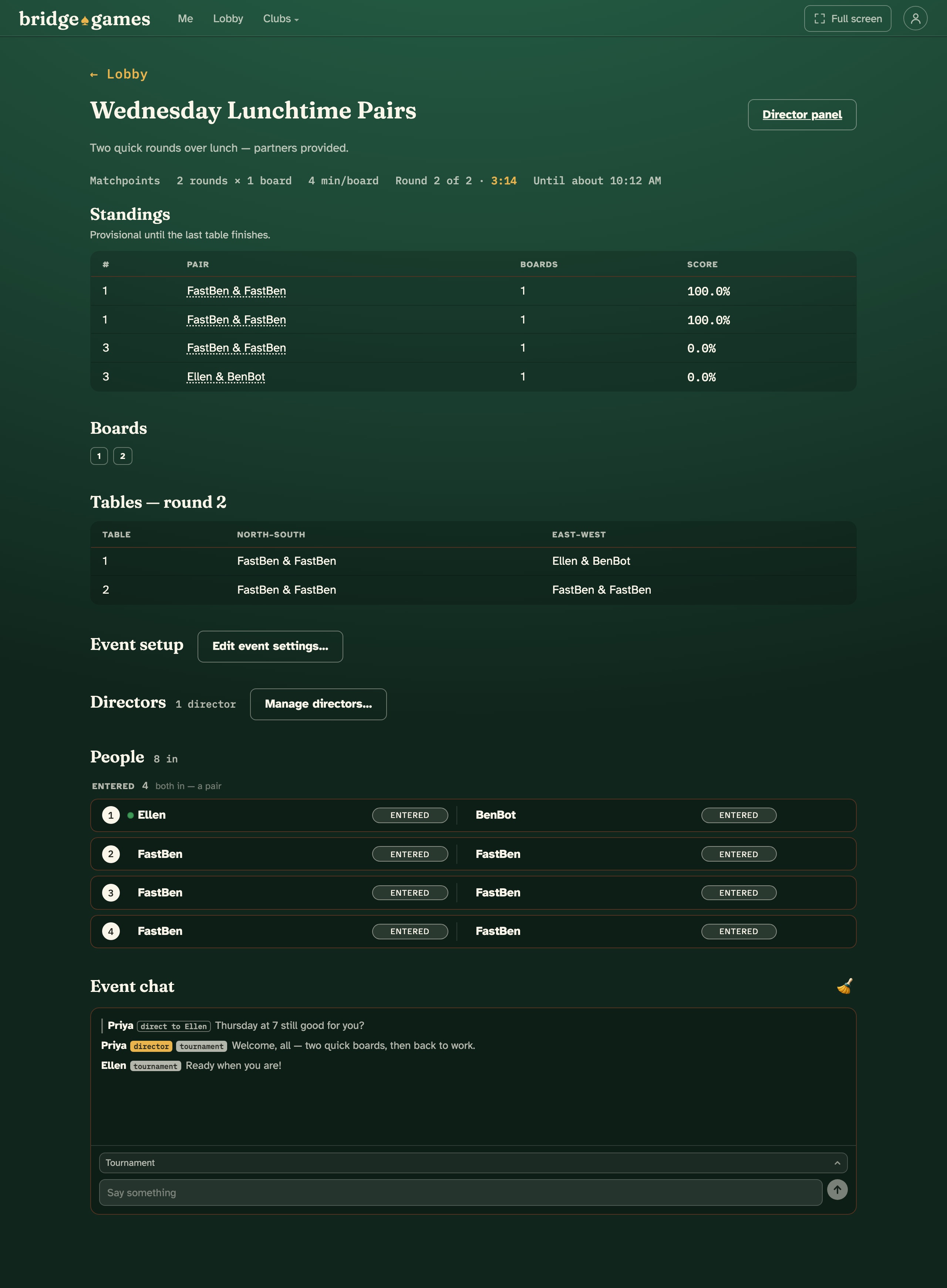
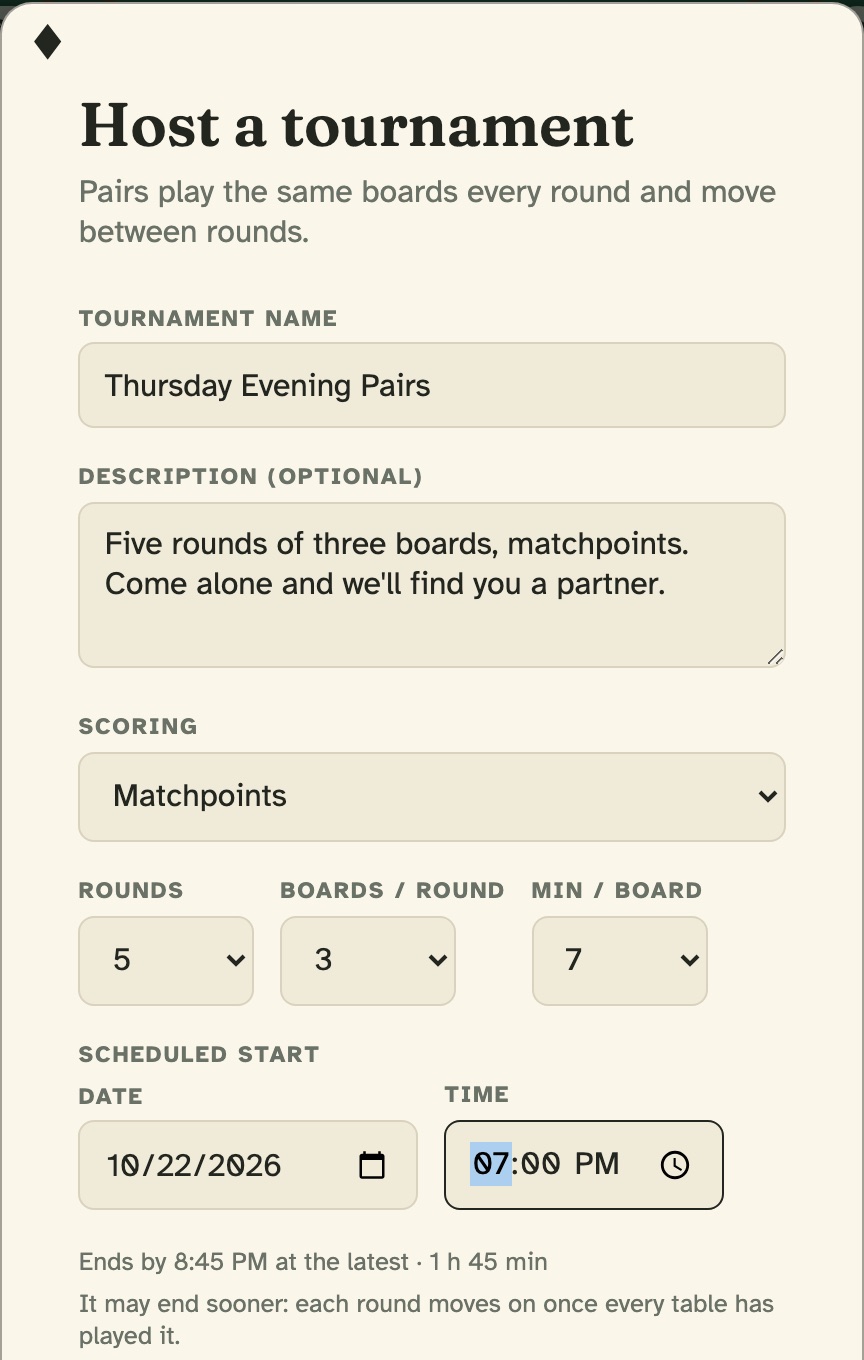
The club’s owner and managers host its tournaments — matchpoint or IMP pairs, or a team match — with your own name, description, rounds and clock. The site seats every pair, runs the movement and keeps the standings, so your director can watch the room instead of the scoresheet.
- Lists you keep. Save your regulars as a named list and invite the whole list to the next game in one press. Pair partners on the list, and they’re invited and seated together.
- Invitations that arrive. Each invitation is emailed, and everyone entered gets a reminder ten minutes before the start if they aren’t on the site. Every time shows in each member’s own time zone.
- Round after round. Players walk from one round’s table straight to the next, a round moves on ten seconds after its last table finishes, and solo entrants are paired at the start, with a bot for the odd one out.
- Help on the night. Choose Support in your event’s chat, and the people who run bridge.games answer you right there.
Everyone plays. A few of you run it.
Every member
Sits at the club’s tables, opens a table or books one for later, enters the club’s tournaments, and chats with the room.
Owner and managers
Host and direct the club’s tournaments, invite people and approve requests to join, remove a member, set the name, description and logo, and download the member list.
The owner
Makes managers, chooses public or private, changes the club’s address, and can hand the club to another member when the time comes.
Five steps, and your club is in game.
-
Create your free account
A username, an email and a password, and you’re in the lobby in under a minute.
-
Start your club
Open Clubs, next to Lobby, and choose Create a club…. Give it a name, an address and a line about who you are and when you play.
-
Choose public or private
Public, listed in the club directory, open to anyone or with your approval; or private, by invitation only. You can change it later.
-
Paste your member list
Invite… › Email list: paste, preview, send. Add a manager or two to share the work.
-
Host your first game
Book a table for your usual night, or host a tournament with a scheduled start and invite your list in one press.
Your club’s questions, answered.
- Does it cost the club anything?
- No. Starting a club, inviting your members, and playing its tables and tournaments cost nothing, for the club or for anyone in it — like everything on bridge.games.
- Can people outside the club see our games?
- Not in a private club: its page, its members and its games are for members only. A public club shows visitors its name, logo, description, how many members it has, and the names and times of its coming events. Its tables, booked tables and member list are for members, either way.
- Can we keep our regular game night?
- Yes. Book a table for that evening and it opens itself at the time, or host a tournament with a scheduled start. Every member sees the time in their own time zone, and anyone entered gets a reminder ten minutes before, if they’re not already on the site.
- Can we run our own tournaments with our own director?
- Yes. The club’s owner and managers host and direct its events — pairs or a team match, matchpoints or IMPs — and can add other directors to an event. Only club members can enter a club’s events.
- What about members who’ve never played online?
- All they need is an email address and a web browser, on a computer, a tablet or a phone. The invitation’s link makes their account and puts them in the club; there is nothing to install. Large and Extra large cards make the table easy to read, and Support is in every chat if they get stuck.
- Who sees our members’ email addresses?
- Nobody but bridge.games. Members see who’s in the club by username. The owner and managers can download the member list — usernames, real names from profiles, role and the date each joined — with no email addresses in it.
Give your club a home.
Free for your club, and for every member in it.
Create your free accountQuestions, or want a hand moving your club? Write us: hello@bridge.games